Improved Search Across Field Reports, Photos, and Files
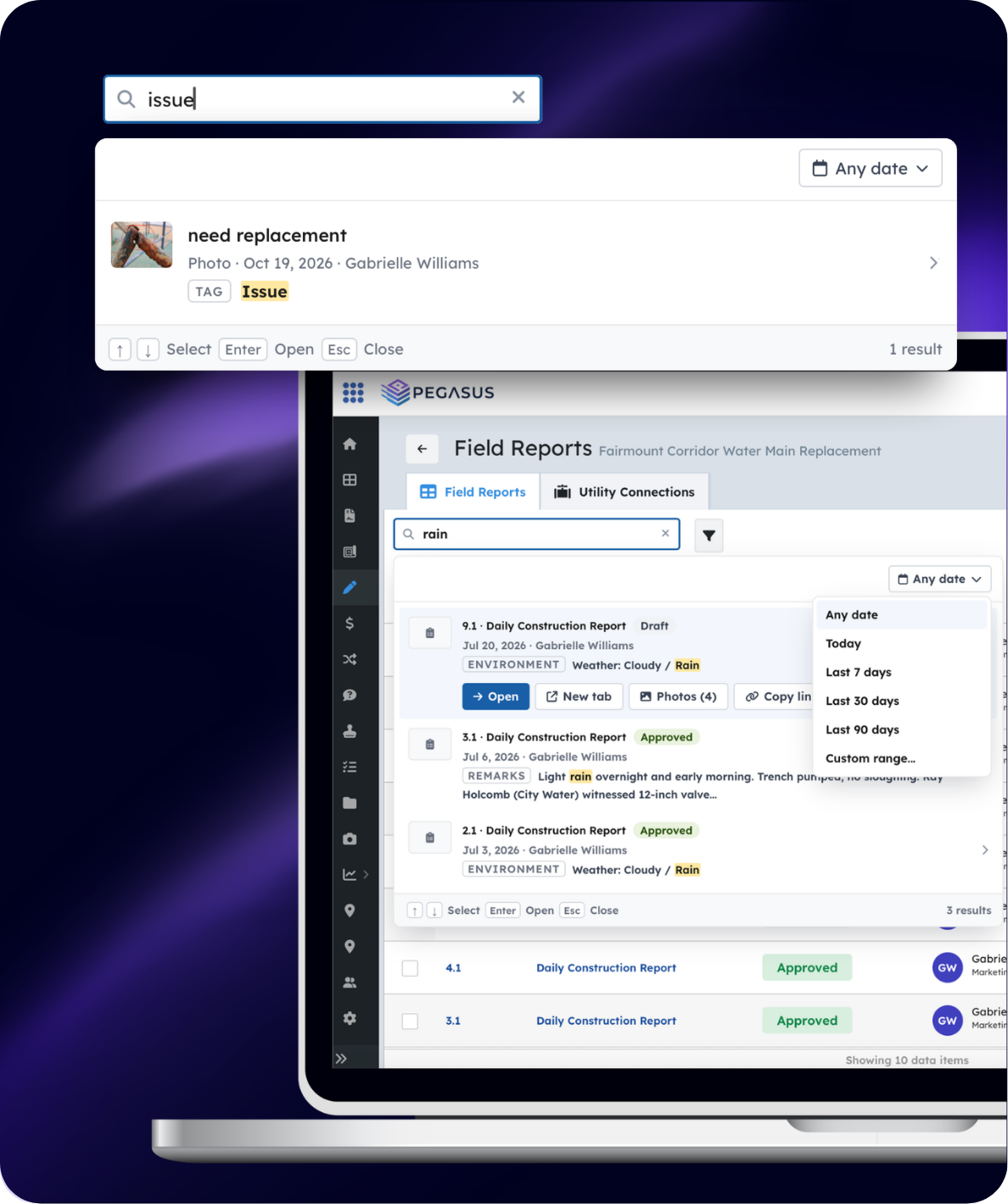
Search now works independently across field reports, photos, and files. You can search within reports, within the photo gallery, or within the files library without mixed results getting in the way.
In the Photos view, for example, the search bar lets you find images by title, tags, or related reports while browsing the gallery by date. The same focused approach applies when you’re looking through files or reports. The result is less time scrolling and fewer dead ends when you need a specific progress photo, document, or daily report.
Flexible Linking Between Records
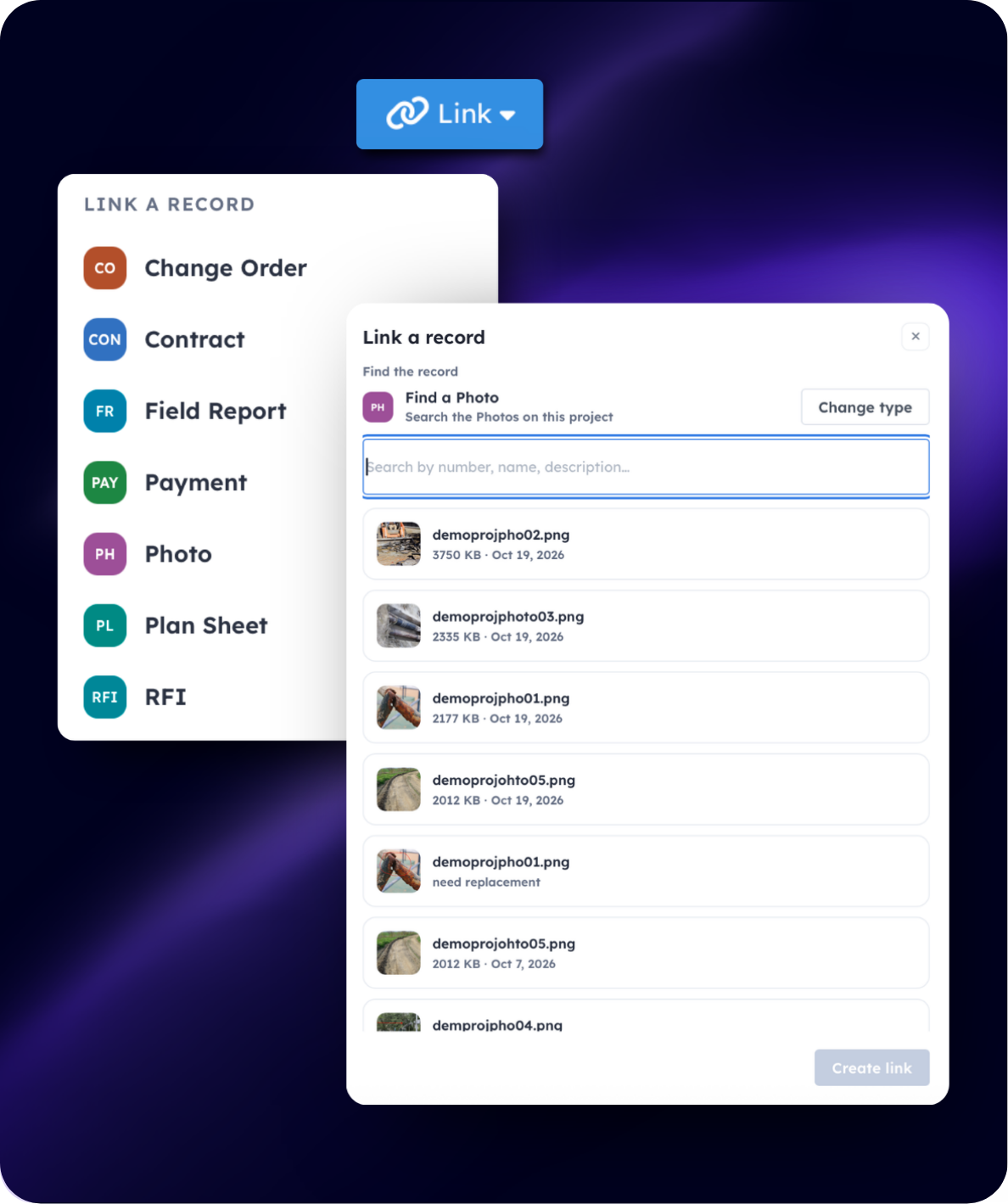
Linking is no longer limited to attaching items to a daily report. You can start from a payment, change order, or other record and link related daily reports or photos to it, or you can link outward from the report itself.
The “Link a record” dialog makes it straightforward to connect Change Orders, Contracts, Field Reports, Payments, Photos, Plan Sheets, RFIs, Submittals, and Tasks. This keeps the full context available no matter where you begin: whether you’re reviewing a payment application and need the supporting field reports, or you’re on a daily report and want to attach the related change order and photos.
Cleaner UI for Files and Photos
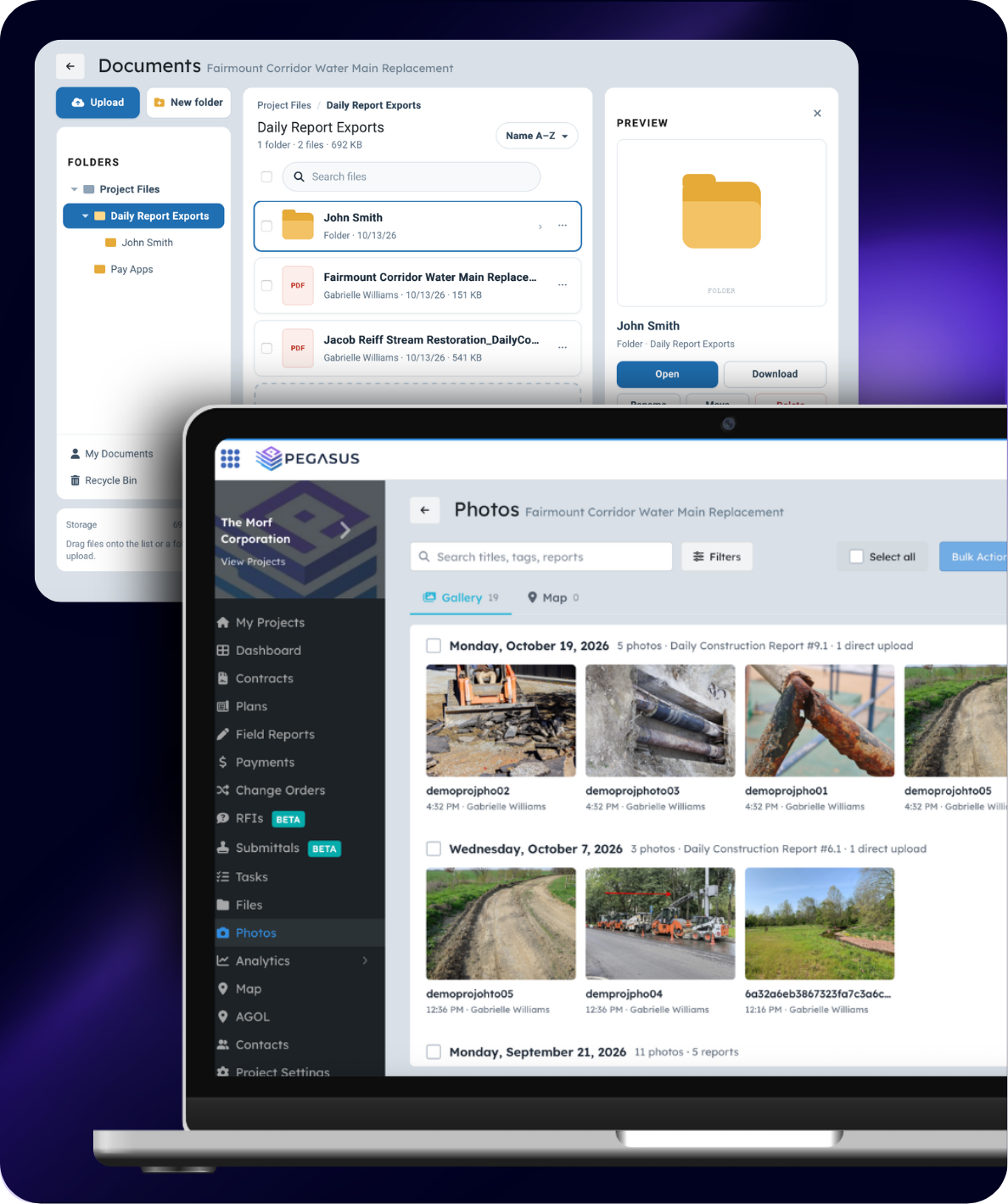
The experience for Files and Photos has been refreshed. Navigation is clearer, common actions (upload, new folder, filters, bulk actions) are easier to reach, and the overall layout reduces visual clutter.
The Files page features a clean folder hierarchy on the left, a searchable file list, and a simple drag-and-drop upload area. The Photos gallery groups images by date and related report while keeping search, filters, and view options (grid/list) readily available. The goal is less hunting and more time documenting actual work.
Report Rules
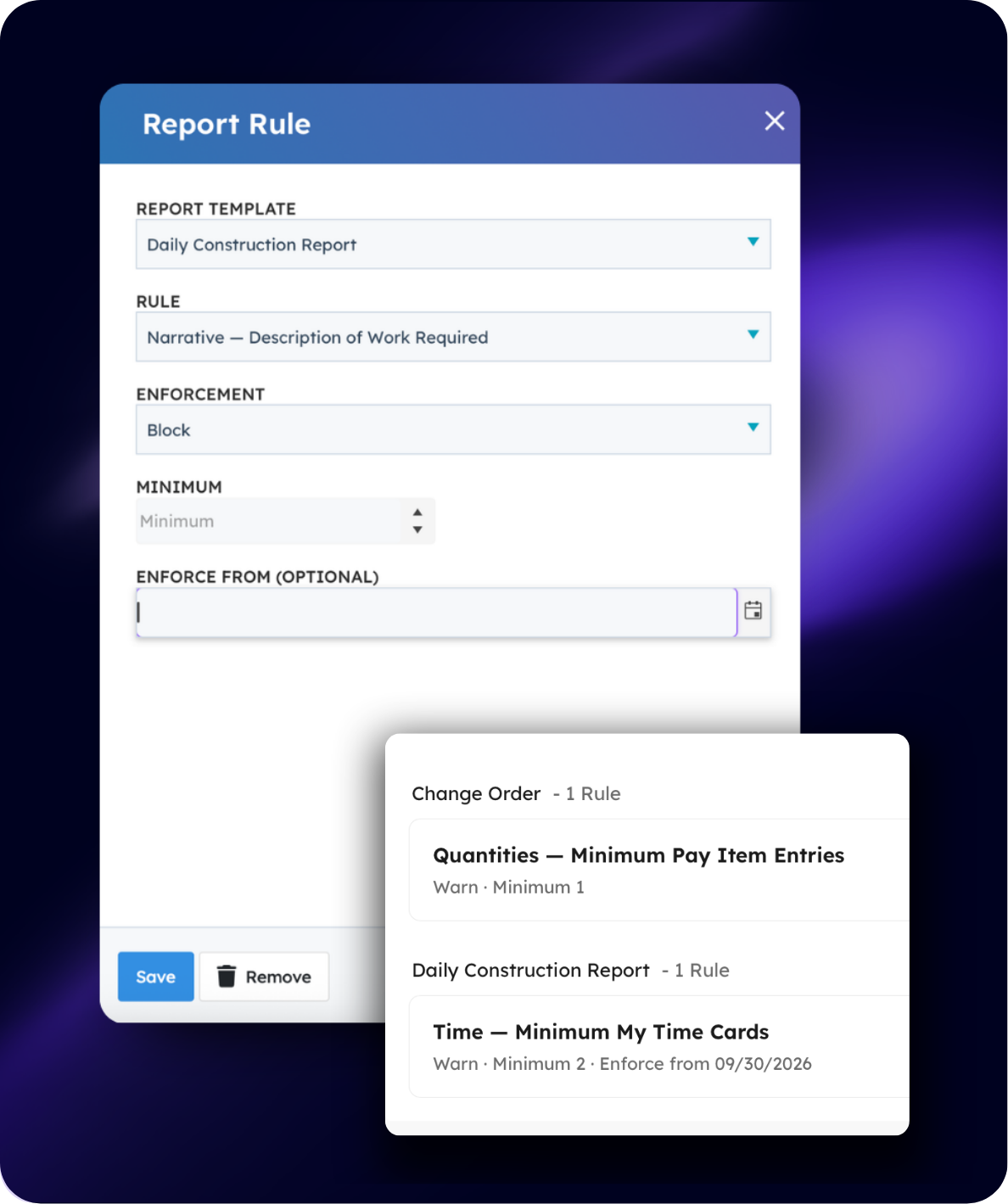
Admins can now set requirements on report templates. Rules can enforce that specific fields (such as a narrative description of work) are completed and can require a minimum number of attachments before a report can be submitted.
The Report Rule dialog lets you choose the template, define the rule, set enforcement (warn or block), specify a minimum, and optionally set a start date. This helps standardize documentation across projects and reduces the back-and-forth that occurs when reports arrive incomplete.
Mobile App Updates
Mobile Files
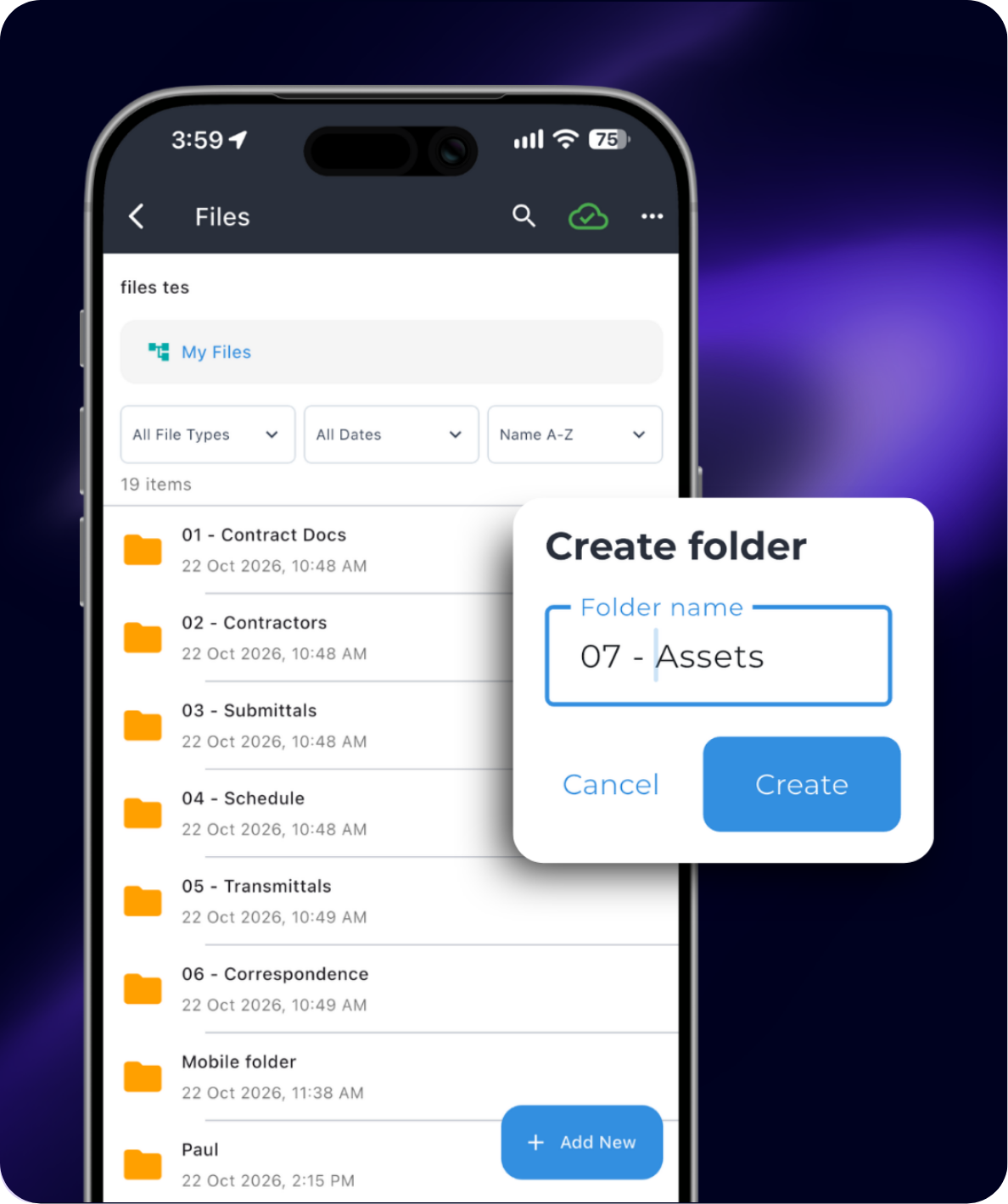
Field users can now access and manage project files directly from the mobile app. The mobile Files view supports browsing folders, creating new folders, filtering by type or date, and working with documents without returning to a desktop.
This is useful for pulling up contract documents, specs, or previously uploaded photos while you’re still on site.